Bring the video
No video platform account connection required. Share-to-app depends on your device/browser support.
Desktop shortcut: drag Find item from this video to your bookmarks bar, then click it while watching a public video. Your video link is handed to FrameFind in a fragment without automatic video downloads.
Paste a public video link. Direct, CORS-permitted video files can be scrubbed here; social-platform players may require a user screenshot or screen share.
For blocked TikTok, Reels, YouTube or Douyin playback: open the link in another tab, pause on the item, then use “Share the video tab” and “Capture current tab frame”. The browser will ask your permission. This never bypasses a source's protections.
Pick the object
Draw a rectangle on the frame to select the exact item. On a supported object-detection result, tap its label to choose that object.
Optional label reading: activate after selecting a frame region. Text is only a suggestion, never an automatically verified brand or model.
If you can see a brand or model plate, follow our step-by-step model identification guide. Use OCR only on a frame region that you select.
When you choose label reading, FrameFind downloads a pinned open-source OCR runtime and English language data into your browser. The cropped image is analyzed on your device, not uploaded to an OCR server. It may fail offline or misread logos and model numbers.
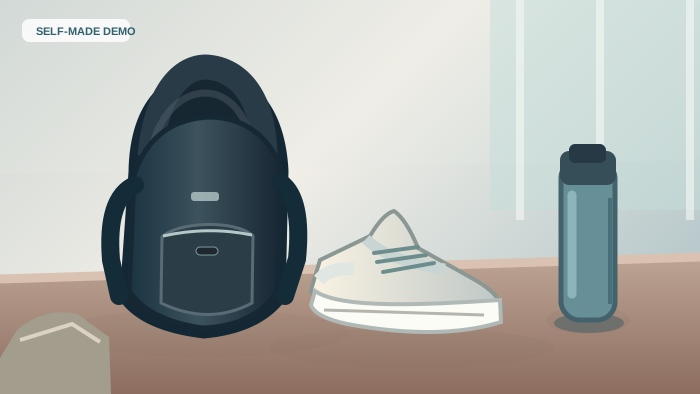
Our existing locally hosted EfficientDet-Lite0 model recognizes broad objects such as backpacks, bags, bottles, chairs and laptops, not exact brands or SKUs. Frames are processed in your browser. For difficult fashion items, save the selected object crop and optionally upload it at Google Lens for a separate visual-similarity search. We do not upload your crop to Lens.
What are you looking for?
No frame selected yet. Add identifying details to reduce false matches.
Check real shopping results
No product request yet. Paste a clip, mark an object, or start with our demonstration.
Your 5-step progress — private to this browser tab
- Visit site —
- Bring a video link, clip, screenshot or allowed video tab —
- Select a specific item —
- Run a retailer search —
- Click a merchant search result —
Browser-only session stages. Owner-wide analytics not active.
Optional public feedback uses GitHub sign-in; do not share private screenshots, video URLs or account information. Your browser session data is not automatically attached.
Have a heated throw in the video?
Before trusting a viral product clip, compare 50×60 heated throws by auto-off timer, heat settings, optional preheat, manufacturer and observed merchant price. Two available-at-check offers; two excluded for stock or size uncertainty, with retailer verification links and a CPSC safety check.
Compare actual Sunbeam & Bedsure optionsFree for shoppers. Revenue only when actually enabled.
Contextual sponsorship
Reserved for product-relevant ads, clearly separated from natural search matches. No advertiser currently active; no ad impressions or revenue claimed.
Frequent-user subscription
Future higher-volume visual searches, saved comparisons and alerts require a proper account, payment processor and server-side quotas.
Transaction commissions
Only eligible, tracked retailer purchases can earn commissions after an actual agreement and attribution. The current general product links are not affiliate links.
Frequently asked questions
Can FrameFind automatically read frames from any TikTok or YouTube link?
No. The original platforms may block direct access, canvas capture or embedding. If the file is directly accessible with suitable browser permissions, you can select a time on this page. Otherwise, the user explicitly shares a video tab or supplies a screenshot. We do not circumvent access restrictions.
Does the AI recognize the exact product model?
Not reliably yet. EfficientDet provides category and bounding-box suggestions. The shopper can add a visible brand, model, color and other clues. The resulting retailer links are searches, not verified visual-identical SKUs or live price comparisons.
Is the product search free?
Yes, the current beta is free. No account, payment, subscription or recording of your uploaded images is required. A future high-usage paid plan would be announced separately and would require functioning server-side billing.
Can I order here? Who gets paid?
We do not sell goods, collect card details, or take orders. Merchants handle payment and delivery on their own sites. No general retailer affiliate agreement, commission tracking or subscription payment is represented as active on this page.